
Preface
You can record NDI® sources on the fly in Crash Mode (i.e. you start and stop each Capture/Recording process manually).
Start a Recording
Make sure to have a valid Capture- and Destination Preset configured and that at least one Channel is connected successfully. Select a Channel, open the Inspector, and make sure that the Channel is in Crash Mode.

You can use the keyboard shortcut “Command-R” to Start/Stop a recording.
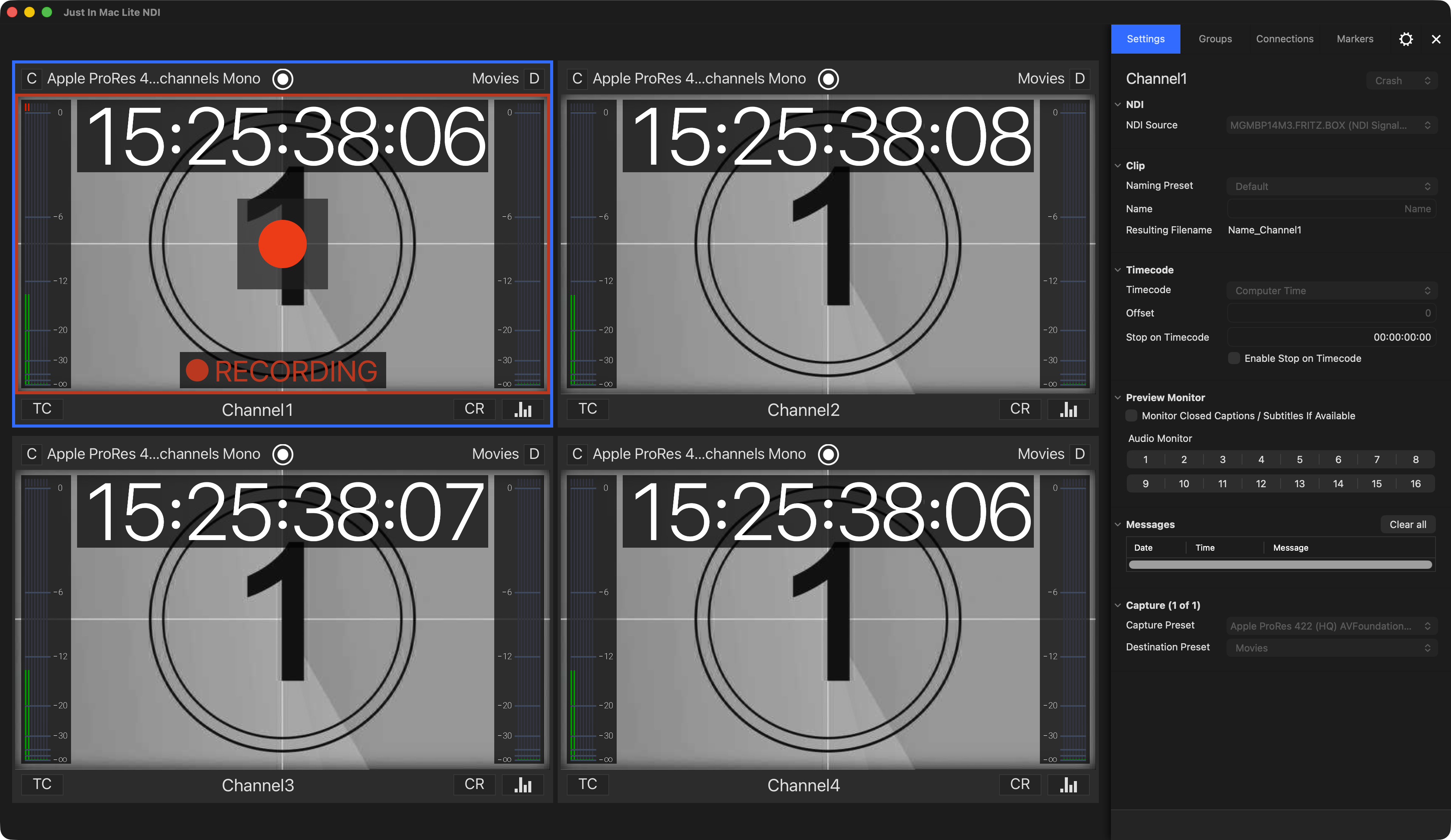
Now hover over the Channel Viewer and the “Record” button will show up. Press this button to start the Recording.
An ongoing Recording is indicated by a red border around the inner area of the Channel Viewer and a “RECORDING” message overlay.
Stop a Recording
Click the “Record” button again to stop recording. The recorded clip will be available at the appropriate path in the file system (defined in the Destination Preset).