
The “Properties” tab contains all attributes related to the currently selected Component. If no Component is selected in the Workbench, this tab won't display anything.
Even the Attributes to Rotate and to change the Opacity are available for the “Just Out Engine Output” Component, those two Attributes will be ignored while playing out. Instead the unrotated full opaque video/live event will be shown on screen.
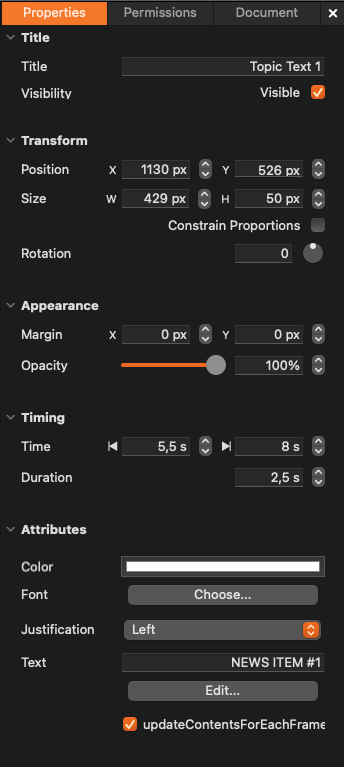
Title: Used to change the name of a Component. You can also hide a Component by unchecking the “Visible” checkbox. This may become useful in complex compositions but also allows hiding a Component by default because this setting is taken over by Just Live 2025 and Just Play 2025 and can be changed in the Inspector of both applications.
Transform: Generic attributes like position, size, and rotation.
Appearance: Margin “enlarges” the drawing area of a Component. This may be useful if a Component needs more space than its boundaries allow.
Timing: Each Component has an in-point and an out-point (i.e., “Start” and “End”). The in and out-point define the life span of a Component and can also be used to reduce the rendering overhead because once the out-point has been reached, the Component is taken out of the rendering pipeline. To define the in/out-point, drag the start/end of the gray bar in the timeline or use the Inspector to set the duration of a Component.
Attributes: These are Component-specific attributes, they vary for every Component. In this example, these are the attributes of a simple text Component.