Have any questions?
+44 1234 567 890









ToolsOnAir Capture 2026.1 Is Now Available
More Details:
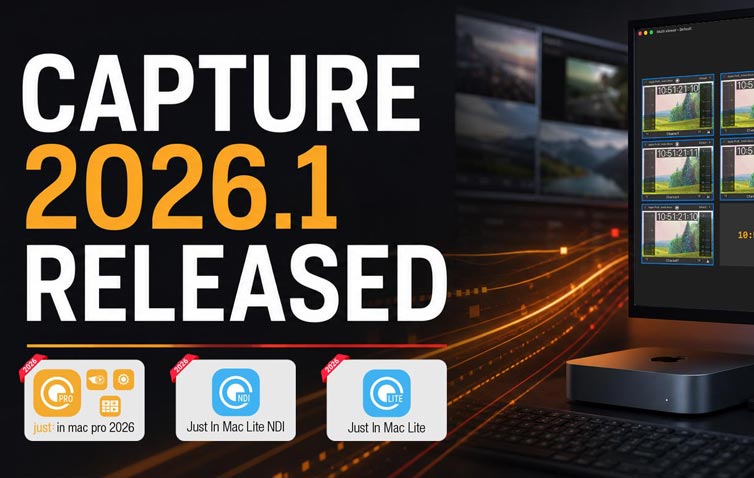
The new ToolsOnAir Capture 2026.1 release is now available, adding HTTPS REST API support, improved HTTP/1.1 keep-alive reliability, AJA SDK v18 compatibility, Avid OP-Atom support, enhanced signal monitoring, updated hardware recommendations, and ongoing testing for macOS 27 Golden Gate readiness.
We are pleased to announce the release of Just In Mac Lite 2026.1, Just In Mac Lite NDI 2026.1, and just:in mac pro 2026.1.
This update is recommended for all customers using the 2026.0 generation of our macOS-based recording solutions. It brings important improvements for day-to-day operation, third-party integration, hardware compatibility, and professional post-production workflows.
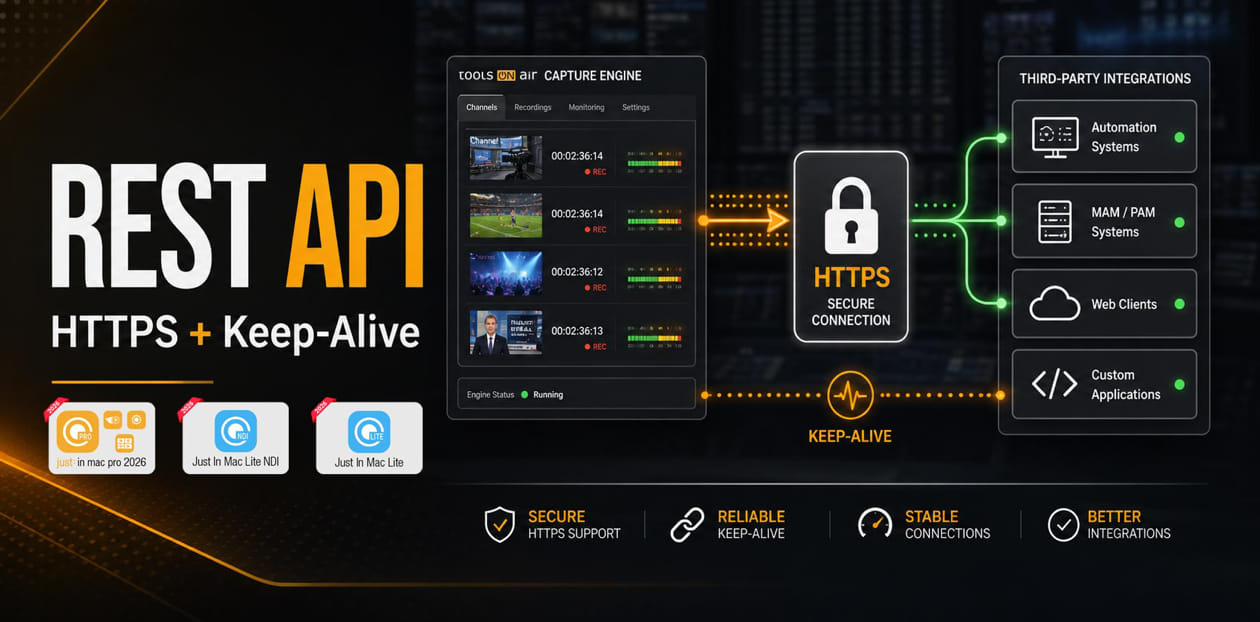
New in Version 2026.1Improved REST API ReliabilityVersion 2026.1 improves compatibility with HTTP/1.1 keep-alive connections when using the REST API, helping third-party integrations communicate more reliably with the recording engine. HTTPS Support for the REST APIThe REST API now supports secure https:// connections in addition to http:// connections. If a valid certificate is installed, the REST server will use it and accept HTTPS connections only. If no certificate is installed, the REST server will continue to accept HTTP connections only.To simplify setup, the configuration panel now includes an Install Self-Signed Certificate (HTTPS) button. This installs a default self-signed certificate on the local system. Please note that most modern browsers will show a security warning when using a self-signed certificate and will ask the user to accept it before connecting. |
 |
AJA SDK v18 SupportVersion 2026.1 introduces support for AJA SDK v18, ensuring compatibility with the latest AJA driver versions and current macOS releases.For this release, we recommend using AJA Driver Version 18. Customers should avoid using AJA Driver Version 17 with ToolsOnAir Capture 2026.1, as the new version has been validated and optimized for the v18 driver generation. Before upgrading, please carefully review AJA’s instructions for uninstalling the v17 driver and installing the v18 driver. The driver update process is not always straightforward and may require additional steps to fully remove the previous version before the new driver can be installed correctly. |
 |
Avid OP-Atom SupportThis release of just:in mac pro 2026.1 adds support for the Avid OP-Atom container format, available for both DNxHD/HR and XDCAM HD 422 codecs. This improves compatibility with Avid Media Composer and Avid-based post-production workflows. |
 |
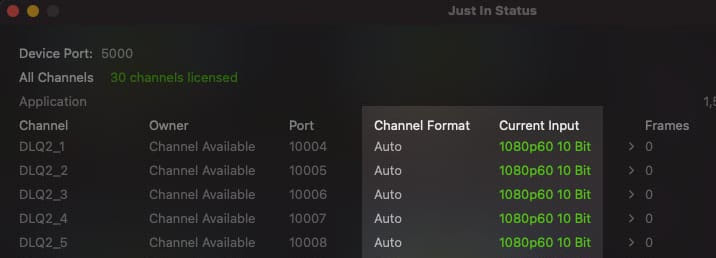
Enhanced Monitoring CapabilitiesThe Engine Application window now features an updated user interface with a new information column showing the active incoming video signal format. This gives operators better visibility into the complete signal chain and makes it easier to verify incoming formats during production. |
 |
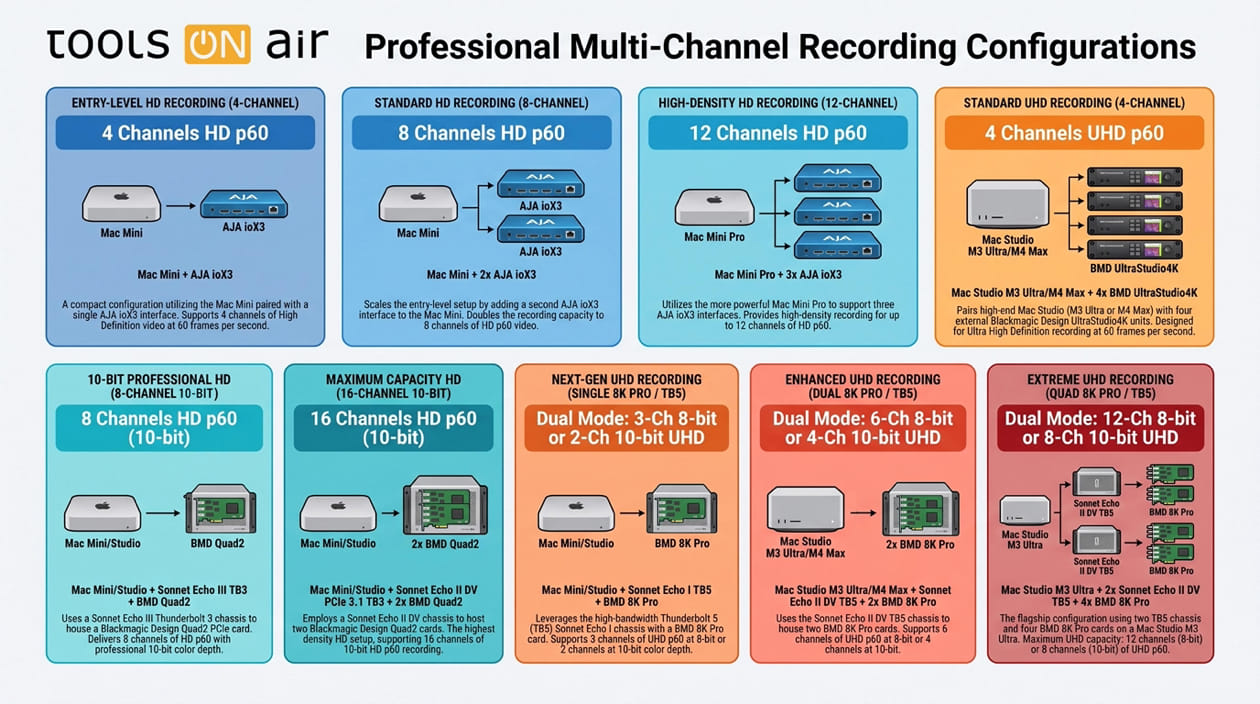
Recommended Hardware Setups for Multichannel RecordingOver the past few days, the ToolsOnAir team has performed extensive real-world testing with AJA and Blackmagic Design video cards, combined with Thunderbolt 3 and Thunderbolt 5 PCIe expansion chassis from Sonnet Technologies.These tests are especially important for customers planning multichannel recording systems with Mac mini, Mac Studio, and other Thunderbolt-based Mac systems. The results show that overall system performance depends on the complete hardware chain: the Mac, Thunderbolt connection, PCIe expansion chassis, video I/O card, video format, codec, storage performance, and recording settings. Based on these tests, we have created updated recommended hardware configurations for reliable multichannel recording workflows. | ||
 |
Testing for macOS Golden Gate ReadinessWe are also testing our latest 2026.1 versions with macOS 27 Golden Gate to ensure that our capture solutions are ready for the next macOS operating system on day one when it becomes available. This ongoing compatibility testing helps us validate recording workflows, video hardware behavior, driver interaction, REST API operation, and overall system stability on the upcoming macOS platform. |
 |
Playout 2026.1 Coming SoonWe are also preparing the release of just:play pro 2026.1 and just:live pro 2026.1. The Playout 2026.1 versions will follow as soon as possible, and we will share more details in the next newsletter. |
 |
Let’s Continue the ConversationWhether you are upgrading an existing recording system, planning a new multichannel setup, or evaluating AJA, Blackmagic Design, Thunderbolt 3, or Thunderbolt 5 hardware combinations, our team will be happy to help. Please contact us at sales@toolsonair.com if you would like to discuss your setup or upgrade path. |