
When creating an AVC-I-based Capture Preset, you can either use the “Auto” mode or select your preferred video mode, frame rate and audio settings.
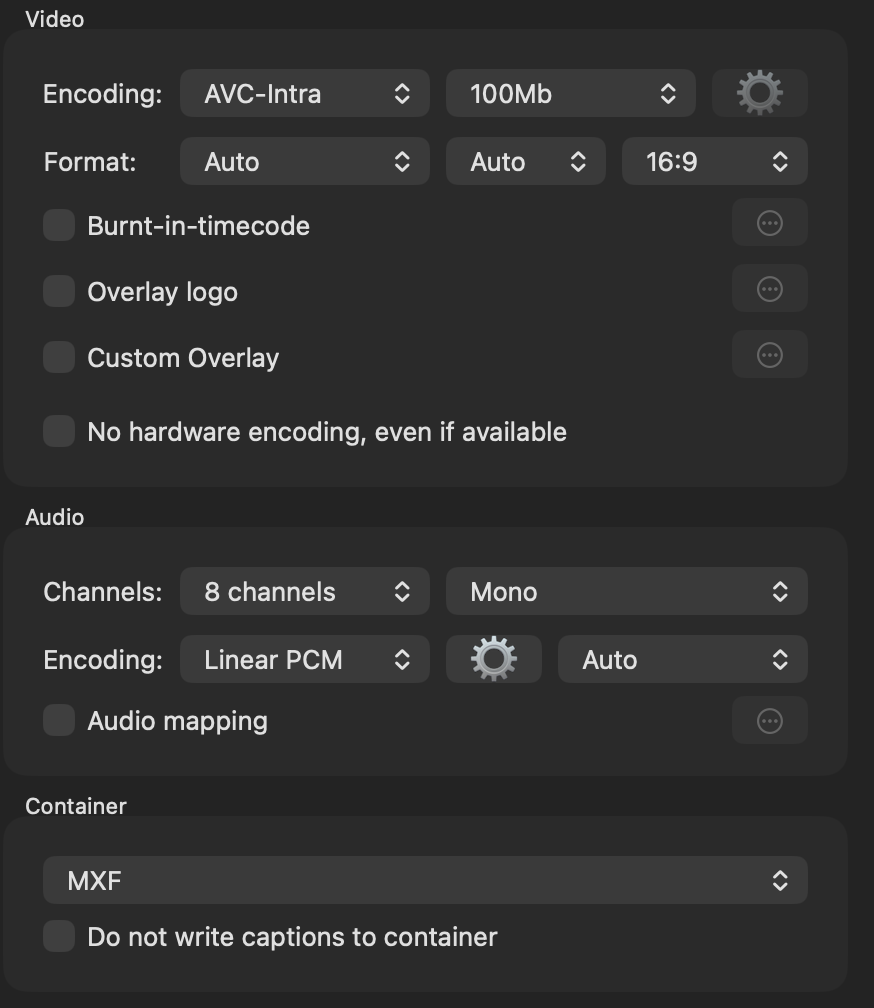
Shoudl you encounter any issue with AVC-I based Capture Presets, the please ensure that Rosetta 2 is installed on Apple silicon systems, such as Mac Minis (M1-M4), Mac Studios (M1, M4), or Mac Pro (M2). It seems like there is no “arm64” version of this specific codec as of this writing, and therefore Rosetta 2 has to be installed to get this working.
file /Library/Video/Professional\ Video\ Workflow\ Plug-Ins/AppleAVCIntraEncoder.bundle/Contents/MacOS/AppleAVCIntraEncoder
/Library/Video/Professional Video Workflow Plug-Ins/AppleAVCIntraEncoder.bundle/Contents/MacOS/AppleAVCIntraEncoder: Mach-O 64-bit bundle x86_64
Quit the Just Control and the Just In Engine application and install a non-native ARM application such as VLC player. This step requires Rosetta 2 to be installed and therefore opens the Rosetta Download and Installation window. Follow the steps and finish the installation process. Then open Just Control and Just In Engine again. The AVC-I Capture Preset will now work as expected.
Alternatively, an experienced user could also use the following Terminal command to Install Rosetta 2 on an Apple silicon-based Mac:
sudo softwareupdate --install-rosetta